Creating a Choose Your Adventure Story (often called “Choose your own Adventure” or “Pick a Path”) can be overwhelming when you start thinking about all the possible story paths the reader could take. The solution to that is simple: use a software like Whiteboards, which will let you organize your thoughts and integrate the outline with your worldbuilding!
What is a Choose Your Adventure Story?
Choose Your Adventure Stories, also known as “Choose your own Adventure” or “Pick a Path” stories, are the kind of story where the main character is the reader themselves! In order to make the reader feel they are the protagonist, the story is written in second person (usually in present tense) and there are choices that change the course of the story. For example, you could find something like this:
You find an unarmed goblin and you identify him as one of your attackers. He tries to run away from you but he stumbles and falls to the ground.
If you kill the goblin, go to page 23
If you steal from the goblin, go to page 25
If you forgive the goblin, go to page 31
As you can see, if you get a decision like this in every scene, the plotting and writing can get out of hand pretty quickly! This is why you need a good way to keep track of your Choose your Adventure plot and outline.
Create a Choose Your Adventure Story on World Anvil
We’ll be using World Anvil’s Whiteboards for this guide, so let’s take a look at how you can use them!
1. Outline the basic structure
Remember it’s a story first! So before thinking about reader choice, outline the main structure of your story. Even when you start adding reader decisions, you will still be writing a specific story, so set it in stone before getting too tangled up into decision trees. You can use a plot structure like the Hero’s Journey, or anything else that works for you!
Decide on all the possible endings there will be. Make sure you have endings where the main character completely loses (even with character death), others where they win, and others that have mixed results. This makes the story re-readable and engaging! If you’re looking for inspiration, we have a whole video and blog on different story ending ideas!
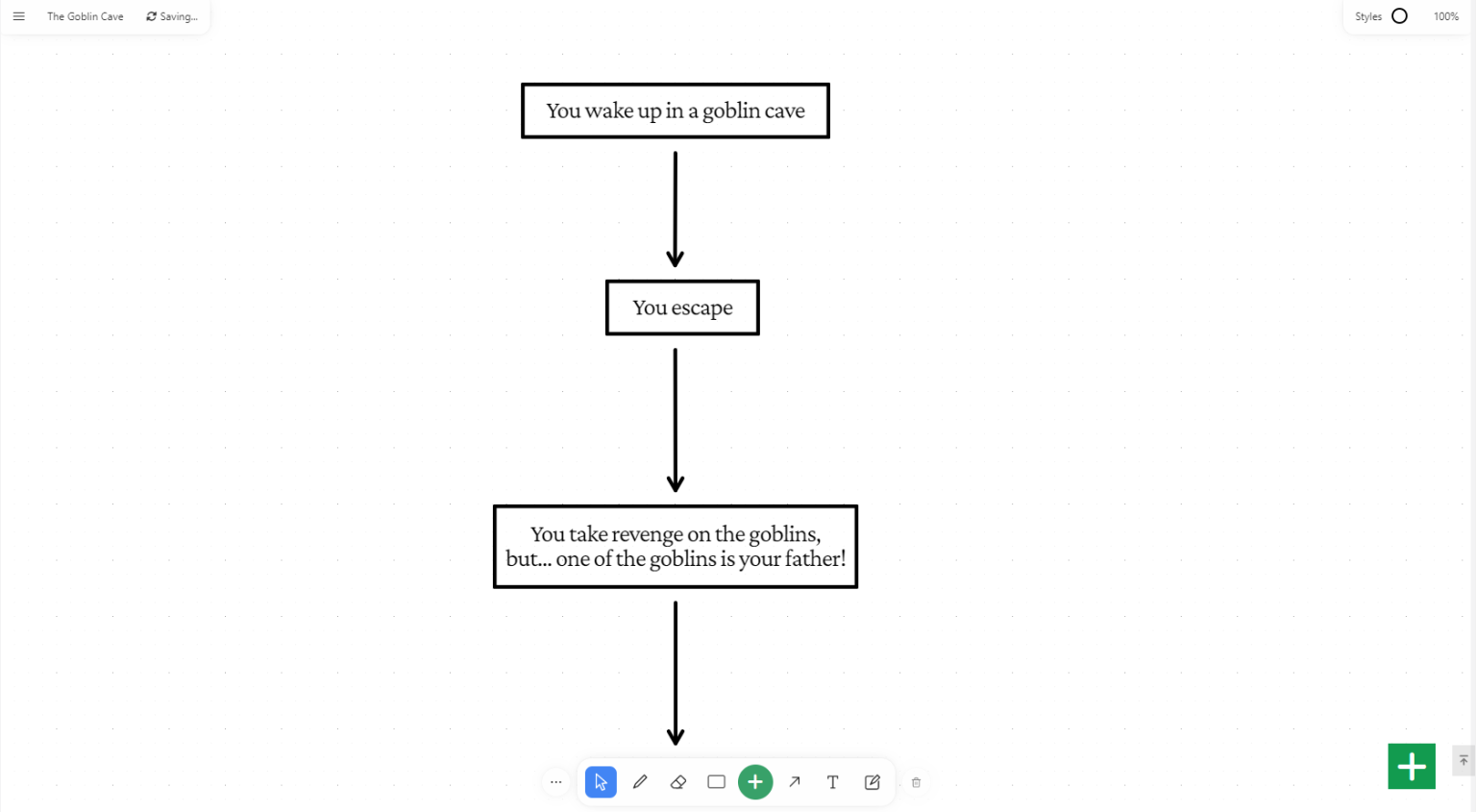
2. Create the choice tree
That’s the heart and soul of a Choose Your Adventure Story, so make sure you get it right! You’ll be starting from the beginning and, for each scene, think about the choice the reader has and the possible answers. Draw two arrows, one for each possible choice, and go on to the next scenes!
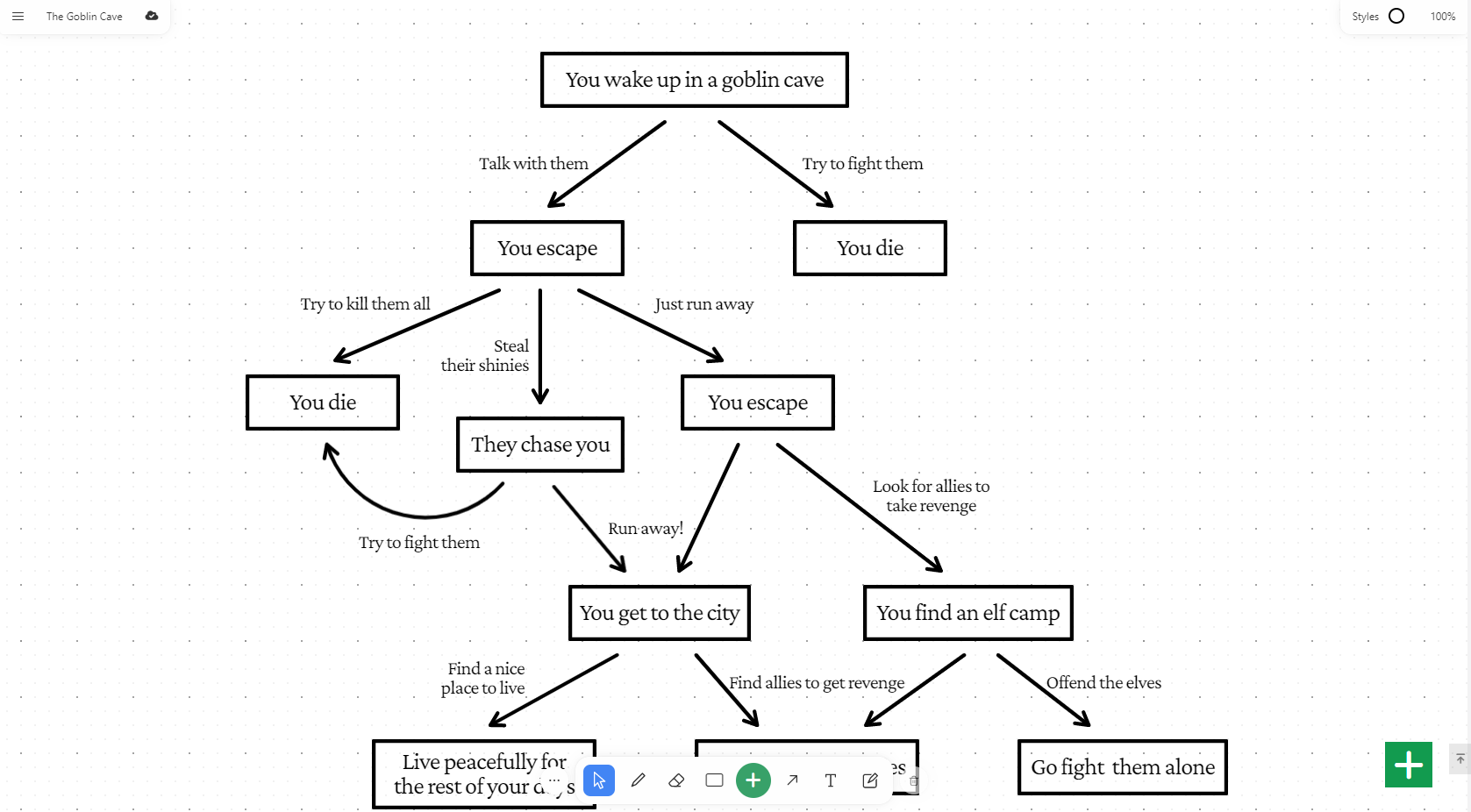
3. Integrate the outline with your worldbuilding
To make your workflow faster, you can link related articles from your world into the whiteboard! For example, you could link in character articles or important locations. If you have a map or reference images for the story, you can also link it in! The goal of this step is to make sure that when you start writing, you’ll have everything you need at your fingertips!
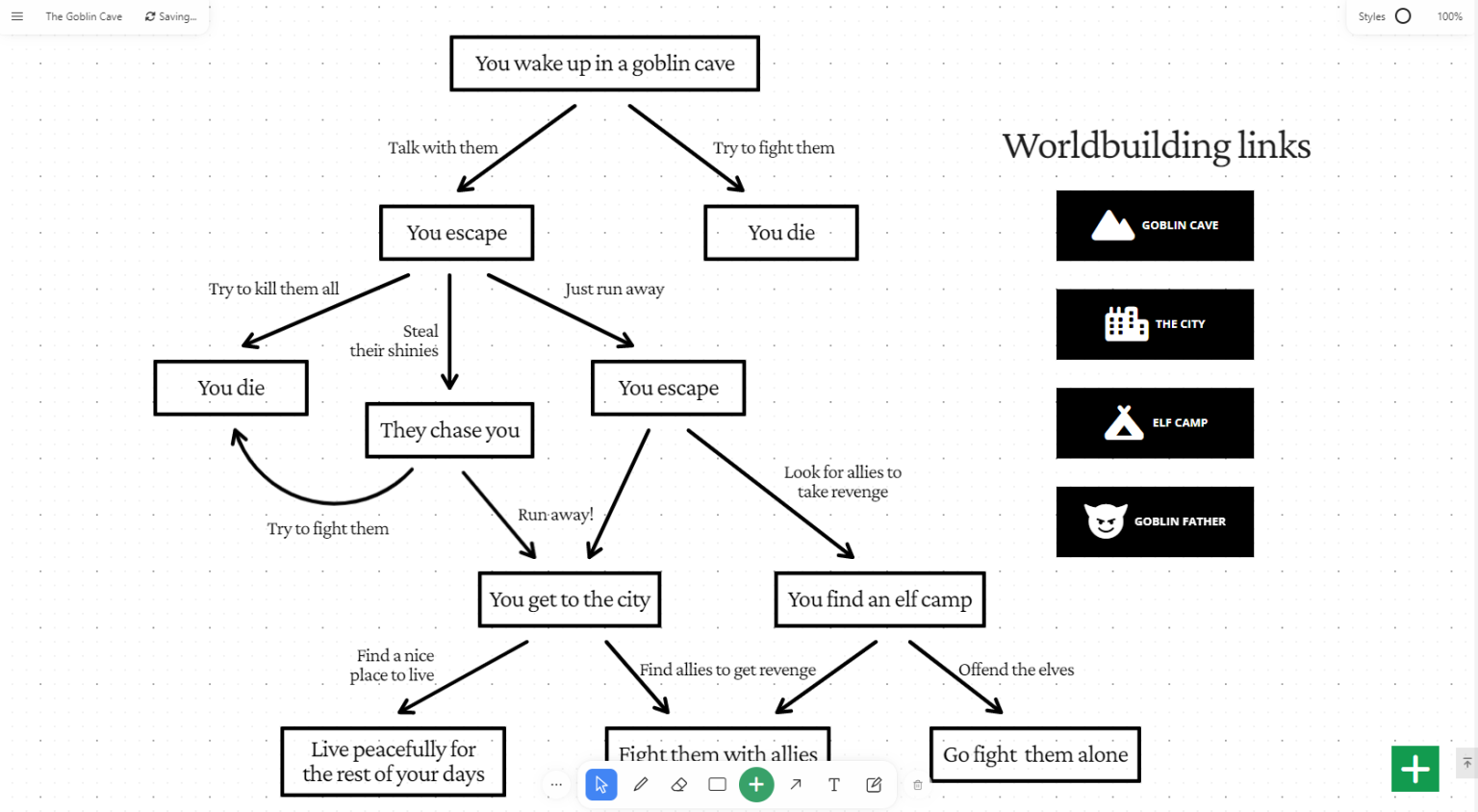
4. Get writing your Choose your Adventure story!
Now you have a complete outline, it’s time to get writing! I recommend that each of your rectangles should be a separate scene in the Manuscripts writing software. Choose your adventure stories are supposed to be immersive, so remember to really play up the five senses, so your reader feels like they’re really in your world, and making their own choices! Be sure to include an evocative description of what happens to the reader in each scene too – it’s THEIR story, after all!
5. Finishing touches
Of course, the most important finishing touch is adding the navigation between scenes! If you’re keeping your Choose Your Adventure story as digital, these might be hyperlinks to different articles containing the different scenes. But if you’re going oldschool, you’ll want to check your page numbers, and make sure that each choice links to the right page number so your story makes sense!
Another good idea when you’ve finished is to play the story through a few times yourself, and get some beta-readers to play it through too. This helps you spot any errors in your navigation, or small errors in your story’s logic. After all that work, you want your story to be the best, right?
And finally, why not publish your Choose your Adventure story on World Anvil? It’s a great way to get people excited about your world, and eager to read or play more there!

Learn worldbuilding methods & storytelling techniques from World Anvil experts to level-up your next novel, original D&D campaign setting or other creative projects.
.png)

Popular articles


Become a World
Anvil member
.webp)